
Most container vulnerabilities have nothing to do with your code. They come from the base image, the operating system and packages you inherited the moment you wrote FROM golang:1.22. You can ship a flawless Go binary and still hand your security team a report with a hundred CVEs in it, none of which you introduced.
I have built platforms at NASA JPL and in financial services, where “a wall of CVEs” is not something a security review waves through. So here is the migration I reach for: rebuild a normal Go service on Chainguard Images, and watch the vulnerability count fall to near zero, without changing a line of application code.
I will also show you where it bites, because the friction is the part most tutorials skip and the part that actually stalls teams.
Where we start
A typical, reasonable Dockerfile:
FROM golang:1.22 AS build
WORKDIR /app
COPY . .
RUN go build -o /app/server ./cmd/server
FROM debian:bookworm-slim
COPY /app/server /server
ENTRYPOINT ["/server"]Scan the result:
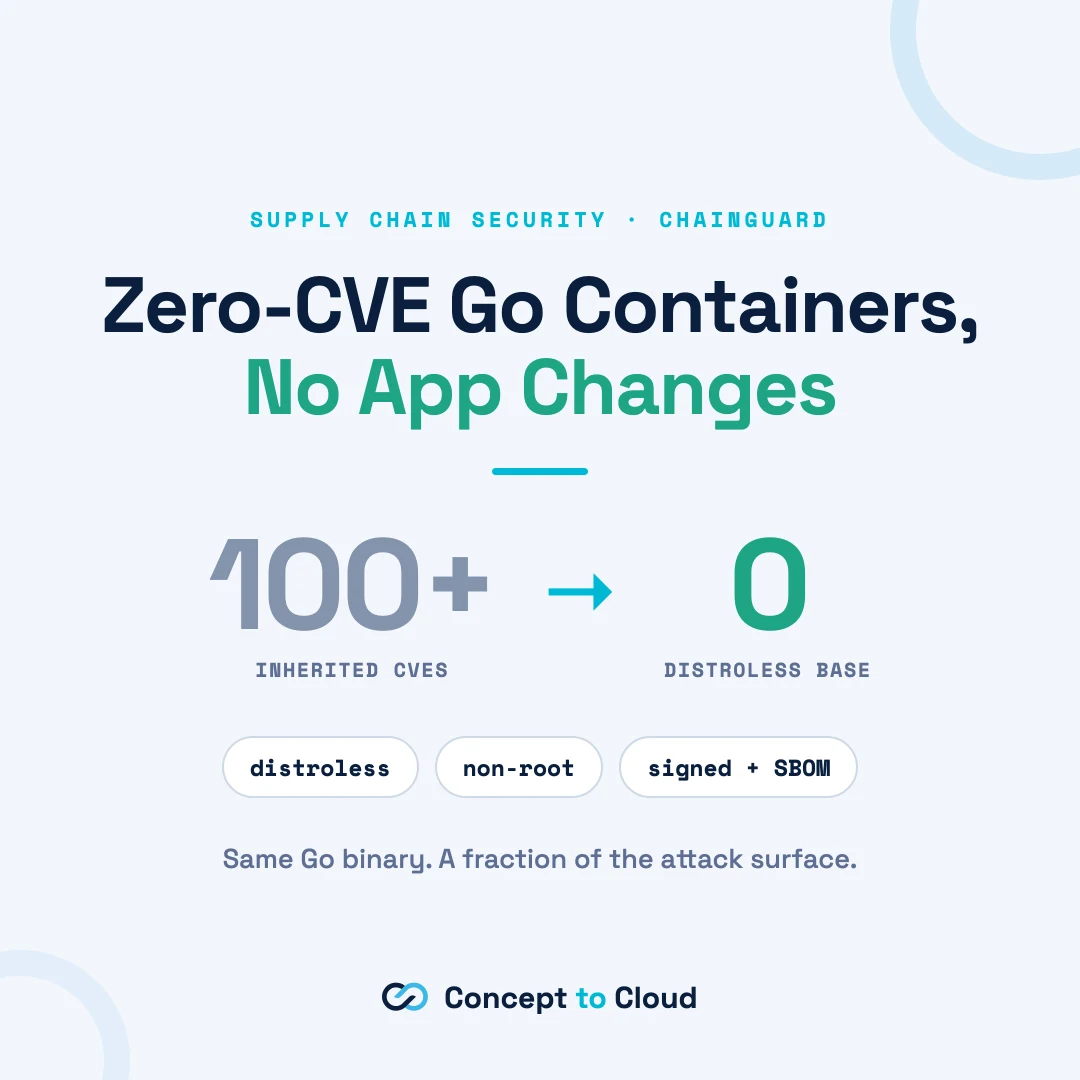
grype my-service:beforeOn a fresh build of this, expect somewhere north of 100 known vulnerabilities, most of them in the OS layer: glibc, coreutils, the shell, the package manager, the dozens of libraries a general-purpose distro ships whether you use them or not. None of them come from the code you wrote, they are all inherited, from the OS packages to the Go toolchain baked into the base image.
The change
We do two things: build on Chainguard’s Go image, and run on a minimal, distroless Chainguard base that contains almost nothing but your binary.
# Build stage: Chainguard Go image. Has the toolchain and a shell,
# so this is where all the "normal" build work happens.
FROM cgr.dev/chainguard/go:latest AS build
WORKDIR /app
# Cache-friendly: pull deps before copying the whole tree.
COPY go.mod go.sum ./
RUN go mod download
COPY . .
# CGO disabled so we get a static binary that runs on a distroless base.
RUN CGO_ENABLED=0 go build -o /app/server ./cmd/server
# Runtime stage: minimal, distroless, non-root by default.
# No shell, no package manager, no OS cruft. Just enough to run a static binary.
FROM cgr.dev/chainguard/static:latest
COPY /app/server /server
EXPOSE 8080
ENTRYPOINT ["/server"]Rebuild and scan the same way:
grype my-service:afterPut the two reports side by side. The typical result is a drop from three figures to zero or low single digits. Same application, same binary, a fraction of the attack surface.
Why it works
- Minimal by construction. The runtime image is distroless. There is no shell, no
apt, no package manager, none of the general-purpose OS that carries most of the CVEs. If it is not there, it cannot be vulnerable. - Non-root by default. The image runs as an unprivileged user out of the box, so you are not one forgotten
USERdirective away from a container running as root. - Built on Wolfi. Chainguard Images are built on Wolfi, a glibc-based distro designed for containers. Because it is glibc rather than musl, you avoid the subtle runtime surprises people hit moving to Alpine.
- Signed, with an SBOM. Each image is signed and ships a software bill of materials, which matters enormously the moment an enterprise security team is the one deciding whether you ship.
Where it bites (the part worth reading)
This is the friction that actually stalls migrations. None of it is a dealbreaker, but you want to meet it on your terms, not in production.
- No shell in the runtime image.
kubectl exec -it ... -- shwill not work, because there is nosh. That feels alarming the first time. The fix: attach an ephemeral debug container (kubectl debug), so your production image stays minimal and your debugging does not depend on it. (The-devvariant trick, a shell plusapkin the same image, applies to language images likego, not to thestaticbase, which has no-devvariant.) - Non-root file permissions. Because the container is not root, anything your app writes at runtime (a cache dir, a temp file) needs to live somewhere the unprivileged user can write. Set that up explicitly rather than assuming
/. - You must actually go static.
CGO_ENABLED=0matters. If you link against C, thestaticbase will not have what you need, and you will want a different runtime image. Know which one your binary is. - Multi-stage is not optional. The builder image and the runtime image are different on purpose: full toolchain to compile, near-empty base to run. Copy the binary across, do not try to build in the minimal image.
- Pin for production.
latestis great for a demo and a bad idea for a pipeline. Pin to a specific digest so a rebuild is reproducible, digest pinning works on any tier, whereas pinning to a specific version tag generally needs a paid Chainguard subscription (the free tier ships:latestand:latest-dev).
If I were running developer relations for this, points 1 and 2 are the top of my “why teams stall” list, and each one is a short, high-traffic guide of its own.
Proving it, for the security review
The minimal image is half the story. The other half is provenance:
# Confirm the image is really from Chainguard and untampered (Sigstore keyless).
cosign verify cgr.dev/chainguard/static
  --certificate-oidc-issuer=https://token.actions.githubusercontent.com
  --certificate-identity=https://github.com/chainguard-images/images/.github/workflows/release.yaml@refs/heads/main
  | jq

# Pull the signed SBOM (SPDX) attestation so security can see exactly what is inside.
cosign download attestation cgr.dev/chainguard/static
  --platform=linux/amd64
  --predicate-type=https://spdx.dev/Document
  | jq -r .payload | base64 -d | jq .predicate
“Signed, with a real SBOM, provably minimal” is, in my experience with regulated buyers, the difference between a yes and a no from security. That is the enterprise story, and it is worth telling in that language.
Bringing it into CI
The last mile is making this the default, not a one-off. In your pipeline: build on the Chainguard builder, scan with grype or trivy and fail the build over a threshold, verify signatures on any base images you pull, and publish the SBOM as a build artifact. Now every image your team ships starts from near zero instead of climbing back down from a hundred.
The takeaway
You went from a hundred-plus inherited vulnerabilities to near zero with a Dockerfile change and no application changes, you understand exactly where the migration friction is, and you can hand security a signed image with an SBOM. That is a strong default for any team, and a genuinely easy one for a regulated one, the kind of enterprise security story that turns a maybe into a yes. Wiring hardening like this into a team’s build defaults is the sort of hands-on work our engineering services are built around.
Ex-NASA engineer and cloud architect with over a decade of experience building scalable systems for startups and enterprises.
Work with Tom →